
Kansas State Fair
Kansas State FairEvents
4.65.00 Reviews
- Version
- 3.0.2
- Installs
- 10.00K
- Age Rating
- Everyone
Screenshots
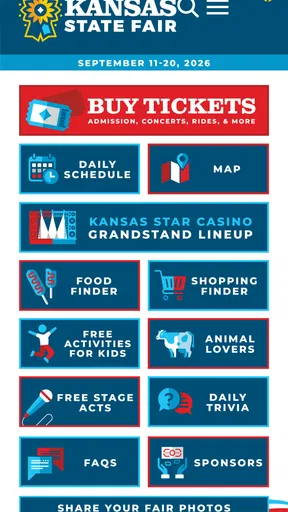
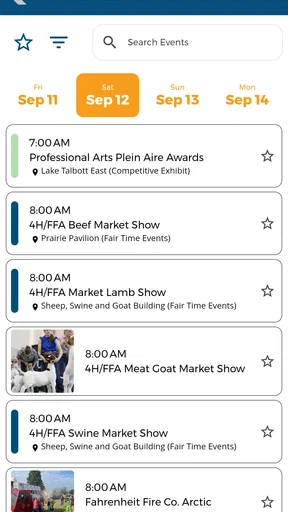
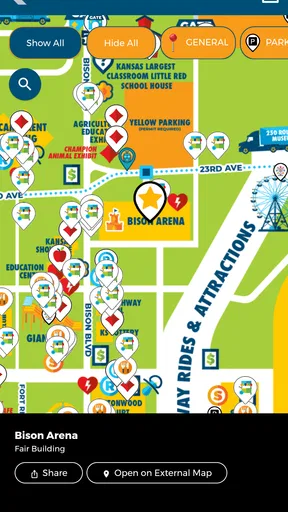
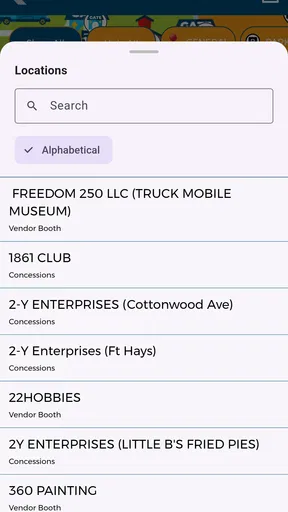
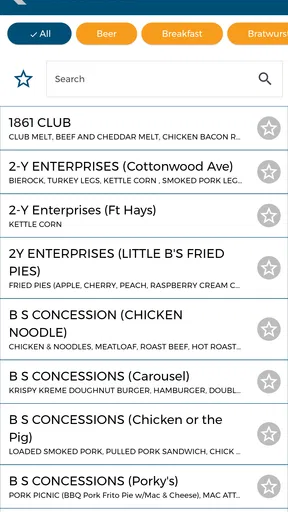
Our Review of Kansas State Fair
 Analysis by Appyee
I approached Kansas State Fair as the kind of app you open with a practical question: “What do I need to know before I head to the fair?” It is the official events app from Kansas State Fair, and its purpose is refreshingly focused. Rather than trying to become a general entertainment platform, it is built around one specific destination and the planning that comes with attending it.
That focus makes a difference. A state fair can be enjoyable once you are there, but the experience is easier when you have already thought about what you want to see, when you want to arrive, and how much information you want available on your phone. I found the app most useful as a companion for preparation and on-the-go reference, not as something I would browse every day outside the fair context.
It is free, rated for Everyone, and available for devices running Android 6.0 or later. With a 4.6 average from around twenty ratings and over ten thousand installs, it has attracted a modest but positive audience. The current release is version 3.0.2, while the app was released on August 12, 2024. Those details suggest a relatively recent official tool rather than a long-established general events platform.
How the current fair companion fits into a real visit
I find a fair companion most useful when it helps a household make a few decisions before everyone is swept into the day: what matters to each person, what can wait, and where the group can leave room for surprises. I’ll look next at the practical boundaries of using one shared device, because a common reference can simplify planning without needing to become the place where every personal detail lives.
A focused starting point for planning
My first impression is that the app makes the most sense before the visit begins. When an event covers several days and includes many competing attractions, the biggest problem is often not finding something to do; it is deciding what deserves your limited time. An official app can serve as a single place to orient yourself instead of making you jump between social posts, search results, screenshots, and notes.
I would use it while sitting at home with the family, deciding which parts of the Kansas State Fair matter most to each person. One person may care about entertainment, another about exhibits, and someone else may simply want an efficient plan for the day. Even without treating the app as a complete itinerary manager, having the fair’s information in a dedicated place makes the planning conversation more concrete.
The strongest benefit is context. A normal web search may return isolated pages, old posts, advertisements, or unrelated fair information. The official app is tied directly to the Kansas State Fair, so it is a more sensible first stop when I want fair-specific information rather than broad local-event results. That does not eliminate the need for judgment, but it reduces the chance of building a plan around a third-party page that is difficult to interpret.
Useful during the busy part of the day
The app’s value changes once I am actually at the fair. In that setting, I do not want to read long articles or repeatedly search the web. I want quick access to information while walking, waiting, or deciding what to do next. A dedicated events app is better suited to that moment than a printed page that can be misplaced or a browser session filled with unrelated tabs.
A realistic use case would be a family arriving with only a loose plan. After spending time at one attraction, the group can check the app before crossing the grounds or committing to another activity. That small pause can prevent the familiar problem of wandering until the day is nearly over and then realizing that the one thing everyone wanted to see was missed.
I also see value for visitors who do not enjoy improvising. Some people are happy to follow the noise and crowds, while others want a clearer sense of what the day might look like. The app gives the second group a better starting point without forcing them into a rigid schedule. I would still keep a little flexibility, because fair visits rarely go exactly according to plan.
Where the official source matters
For an event app, official status is more important than flashy presentation. Information connected to a fair can change, and an official product has a clearer reason to keep its material aligned with the event itself. The developer is Kansas State Fair, which gives the app a direct connection to the subject it covers rather than making it a generic calendar with a fair entry added to a much larger database.
That distinction is especially useful when comparing it with the usual alternatives. A general calendar app can store reminders, but it will not necessarily provide the fair’s own organization. A search engine is broader, but it may require more filtering. Social media can be lively and timely, yet it is not always easy to use as a structured plan. A paper program is simple and does not depend on a phone battery, but it cannot be updated in your hand and is less convenient when you are trying to compare options.
I would not replace every other tool with this app. My preferred approach would be to use it for official fair information, a calendar for personal commitments, and a simple note for the few things my group absolutely does not want to miss. That combination recognizes the app’s role instead of asking it to solve every planning problem.
What the recent version tells me
The current version, 3.0.2, indicates that the app has moved beyond its initial release and is being maintained as a product rather than left untouched after launch. I treat that as a positive sign for existing users, particularly when an app is tied to a recurring event and needs to remain relevant from one fair period to the next.
Still, a version number by itself does not tell me that every part of the experience has changed. I would separate confirmed product evolution from expectation here: the app has a current 3.0.2 release and a release date in August 2024, but I would not assume that this automatically means a major redesign, new planning tools, or a particular feature set. The sensible expectation is continued refinement, not a promise of a completely different app.
For someone who already installed an earlier edition, updating is worthwhile simply to stay on the current release. For a new visitor, the practical question is less about the number attached to the version and more about whether the information is useful for the fair visit being planned. A newer release can improve reliability, but it cannot turn a focused fair guide into a full travel planner.
The effect on returning users
Returning visitors are the people most likely to notice whether the app has become easier to use over time. They already understand the fair itself, so they are not looking for a general introduction. They want less friction when checking details, making a plan, or finding something quickly during a busy day.
For that audience, the app works best when treated as a reusable seasonal tool. I would open it before each visit rather than relying on old screenshots or saved browser pages. That habit matters because information connected to an event can be relevant for one visit and outdated by the next. Rechecking the current app is a simple way to avoid carrying forward an old assumption.
There is also a useful trade-off for families who attend together but plan differently. One person can use the app as the main reference while others keep their own priorities. Instead of trying to make one perfect group schedule, the family can identify shared essentials and leave the rest open. That is a more realistic workflow for a fair, where different ages and interests rarely line up for the entire day.
On the other hand, returning users should not expect the app alone to remember every personal preference. I would still write down meeting points, transportation details, and any family-specific reminders separately. An official event guide and a personal day plan are related, but they are not the same thing.
Small planning habits that make it more useful
My first practical tip is to check the app before leaving home, not only after arriving. This gives me time to decide what information matters and prevents me from trying to make every decision while surrounded by crowds, noise, and distractions. I would take a few minutes to identify the day’s priorities and then use the app at the fair for adjustments rather than starting from zero.
My second tip is to plan around priorities instead of attempting to consume everything. A fair offers more possibilities than most visitors can comfortably fit into one day. I would choose a short list of must-see items, a second list of nice-to-have options, and enough open time for food, rest, and unexpected discoveries. The app is more helpful when it supports that decision-making process than when I use it to create an overloaded schedule.
My third tip is to treat the phone as a reference device, not the center of the visit. Checking information can save time, but constantly staring at a screen works against the reason for attending a live event. I would check the app at natural transition points: before moving to another area, while waiting, or when the group needs to make a decision. That keeps the practical benefit without turning the fair into a screen-based activity.
There is a fourth trade-off worth mentioning. An app is convenient, but convenience depends on the phone being usable when I need it. I would arrive with enough battery for the day and avoid assuming that every situation will be ideal for browsing. Keeping essential meeting details in a separate note, or agreeing on them in advance, is sensible even when the official app is installed.
Where it may not be the right choice
This app is not the best fit for someone looking for a broad directory of events across Kansas or a general family-outing planner. Its identity is tied to one fair, so its usefulness is naturally concentrated around that destination. If I wanted restaurant discovery, hotel comparison, route planning, or a statewide event calendar, I would choose other tools for those jobs.
It may also be less appealing to visitors who prefer completely offline planning. A printed program or downloaded personal notes can feel more dependable to someone who does not want to manage a phone during the day. The app is a better match for people who appreciate a central digital reference and are comfortable checking their device when needed.
Likewise, highly spontaneous visitors may not gain much from installing it early. If the entire plan is to arrive and follow whatever looks interesting, the app could feel unnecessary. I still think it can be useful as a backup, but its strongest value goes to people who want orientation, reminders, and a clearer way to compare the fair’s possibilities.
What I would watch in future releases
Because the app is connected to a recurring event, future improvements should be judged by how much they reduce visitor effort. I would watch for clearer ways to move from browsing to a personal plan, especially for families with different priorities. The best updates would help a visitor answer practical questions quickly without adding clutter.
I would also pay attention to how well the app handles the difference between pre-visit planning and on-site use. Those are separate needs. Before the fair, I want room to explore and compare. During the visit, I want short paths to information and minimal friction. An update that improves one stage but makes the other slower would not necessarily be progress.
Another area worth watching is continuity for existing users. Since the product has already reached version 3.0.2, the next meaningful step should preserve familiarity while improving weak spots. Major changes are not automatically better for an event companion; visitors often open it only occasionally, so a stable layout and predictable navigation can be more valuable than constant novelty.
I would also like to see the app remain disciplined about its scope. The official connection is its advantage, and adding too many unrelated functions could make it feel like another generic portal. The best future direction is not necessarily more of everything. It is a cleaner, faster way to use Kansas State Fair information when a real visitor needs it.
My recommendation for different kinds of visitors
I recommend installing it if you are attending the Kansas State Fair and want one official place to begin organizing the day. It is particularly suitable for families, first-time visitors, and anyone who dislikes losing time to uncertain plans. The free price removes the usual hesitation about trying a specialized event app, and the Everyone age rating makes it appropriate as a shared household tool.
I would be more selective if you already have a complete plan, prefer paper materials, or are looking for information far beyond the fair itself. In those cases, the app may be a useful supplement rather than an essential download. It should not be judged as a replacement for every travel, calendar, or navigation tool.
My overall view is positive because the app understands its job. It is not trying to be a social network, a statewide directory, or a general-purpose planner. It is an official digital companion for one major event, and that narrow purpose is exactly what makes it practical when used at the right time.
My strongest recommendation is to use it as a preparation tool first and a quick reference during the visit. Check it before leaving, decide what matters most to your group, keep personal logistics somewhere else, and leave room for the unexpected. Used that way, Kansas State Fair earns its place on a visitor’s phone without demanding that it manage the entire day.
Verdict
Strengths of Kansas State Fair
- Provides schedules and event details in one convenient place.
- Helps visitors discover food, shows, rides, and attractions.
- Useful for planning visits around daily activities and performances.
- Makes it easier to stay informed about fair updates and announcements.
- A practical companion for first-time visitors and returning attendees.
Limitations of Kansas State Fair
- Information may become outdated if event details change unexpectedly.
- Some features may depend on a stable internet connection.
- The app may offer limited value outside the fair dates.
- Large event listings can take time to browse and navigate.
- Not every fair attraction or vendor may be fully represented.
Similar Picks in This Category
View All
Easy Quran Mp3 Audio Offline
Muslim Worldapp4.7

Invitation Maker: Cards & RSVP
Greetings Island4.9

StubHub - Live Event Tickets
StubHub4.3

Fever: Events & Tickets
Fever Labs4.7

Epic Freebie Games Radar
Arioch Pds - Apps & Games4.4

Invitation card Maker, Design
Splendid App Maker4.9
Frequently Asked Questions
What is the Kansas State Fair app used for?
The Kansas State Fair app is designed to help visitors plan and enjoy their time at the fair. It can provide useful information such as event schedules, entertainment details, maps, attractions, food options, exhibitor information, and important visitor updates. It is especially helpful for checking what is happening during each day and finding activities without relying entirely on printed materials.
Is the Kansas State Fair app free to download?
The Kansas State Fair app is generally available as a free download, although some activities, admission options, rides, concerts, or special events may require separate payment. Before attending, users should review the current information shown in the app and confirm any ticket prices or additional charges. Downloading the app itself does not necessarily include admission to the fair.
Can I use the app to check the fair schedule and entertainment lineup?
Yes, one of the most useful reasons to install the Kansas State Fair app is to review the daily schedule. Visitors can use it to find concerts, competitions, livestock events, demonstrations, family activities, and other entertainment. Since schedules may change because of weather, performer availability, or event updates, checking the app regularly during your visit is recommended.
Does the Kansas State Fair app include a map and directions?
The app may include a fairgrounds map or location-based information to help visitors find stages, exhibit buildings, food vendors, restrooms, entrances, parking areas, and other important facilities. Its usefulness can depend on your phone’s internet connection and location permissions. It is still a good idea to review parking and arrival details before leaving, especially during busy days.
Does the Kansas State Fair app require an internet connection or location access?
Some features of the Kansas State Fair app may work without continuous location access, while updated schedules, notifications, maps, ticket information, or online content can require an internet connection. Location permission may improve navigation or help display nearby attractions, but it is usually optional for basic browsing. Users should also keep the app updated for the most reliable information.
